Microsoft 365, owned by Microsoft, is a subscription-based suite of productivity systems, collaboration and cloud-based services. It is designed to help people be more productive with the innovative apps and secured cloud services it offers.
The first step in gaining access to this wealth of apps that aimed at improving your productivity and streamlining your workflow is to have access to the Microsoft 365 application suite.
This article provides guidance in the sign-in process to Microsoft 365, giving step-by-step instructions to ensure seamless experience. From utilizing the sign-in portal to navigating through multi-factor authentication steps, this will provide users with the knowledge necessary to successfully accessing their Microsoft 365 account.
Here are the steps on how to sign-in to Microsoft 365:
- Open a web browser, it could be Chrome, Edge, Safari, Firefox, or any web browser of your preference.
- Visit the Microsoft 365 page through the URL https://www.office.com/
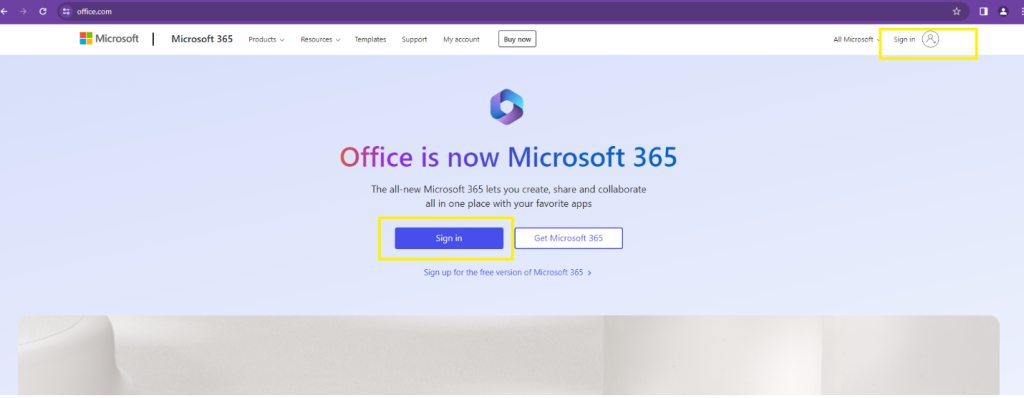
- Navigate to the Microsoft 365 sign-in page and click the Sign in button. You can either click the Sign in button at the upper right corner of the page or the button at the middle of the page.
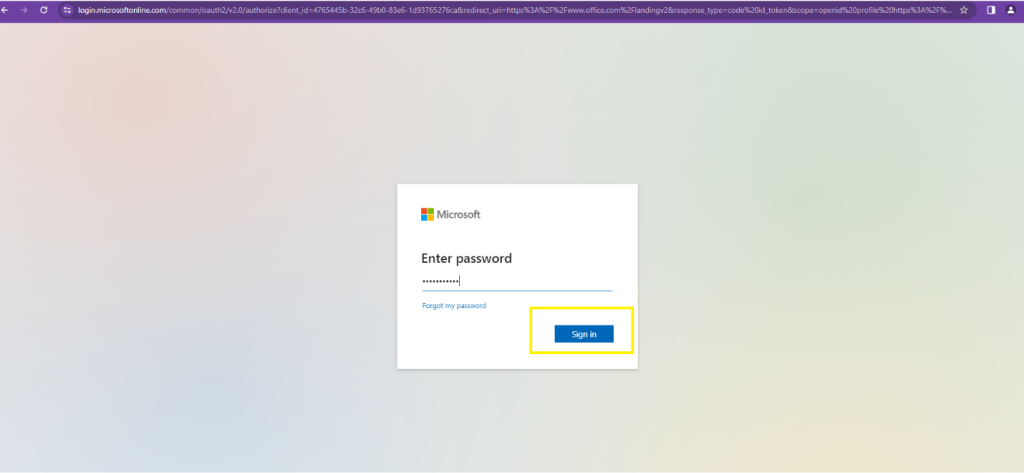
- You will be prompted to sign in. Enter your credentials – email address and password that is associated with your Microsoft 365 account.
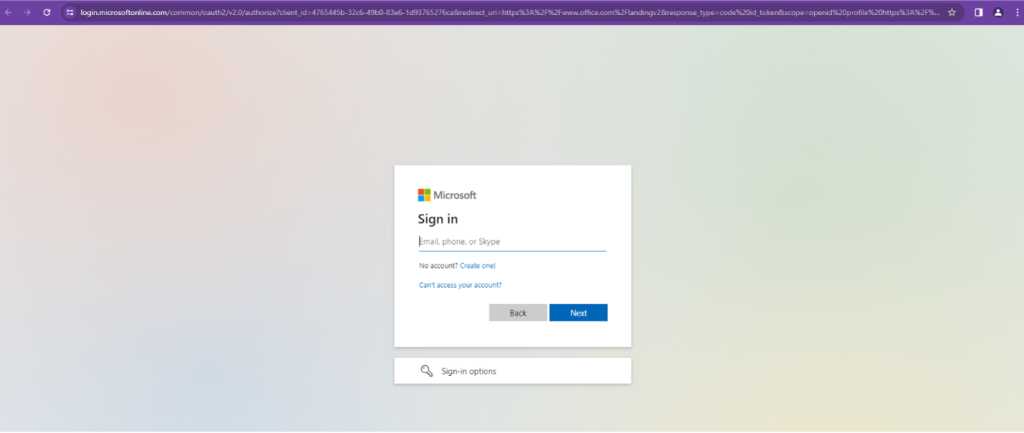
- After putting in your password, click the Sign In button.
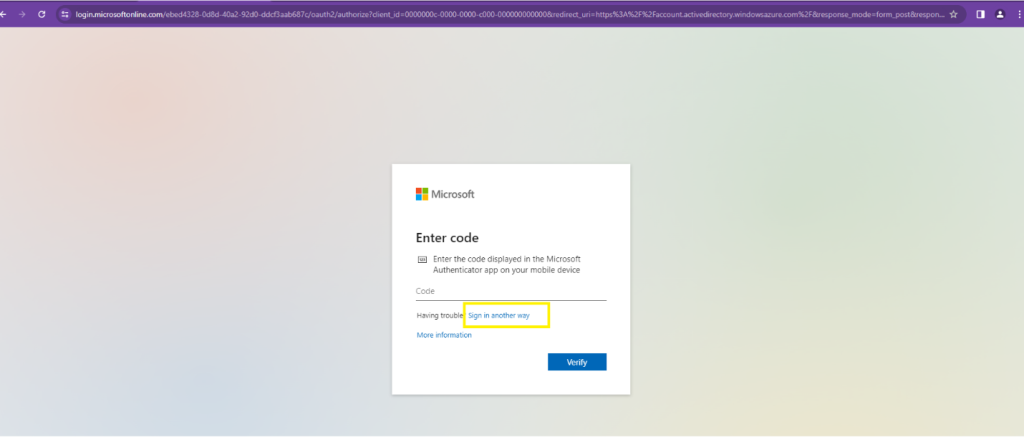
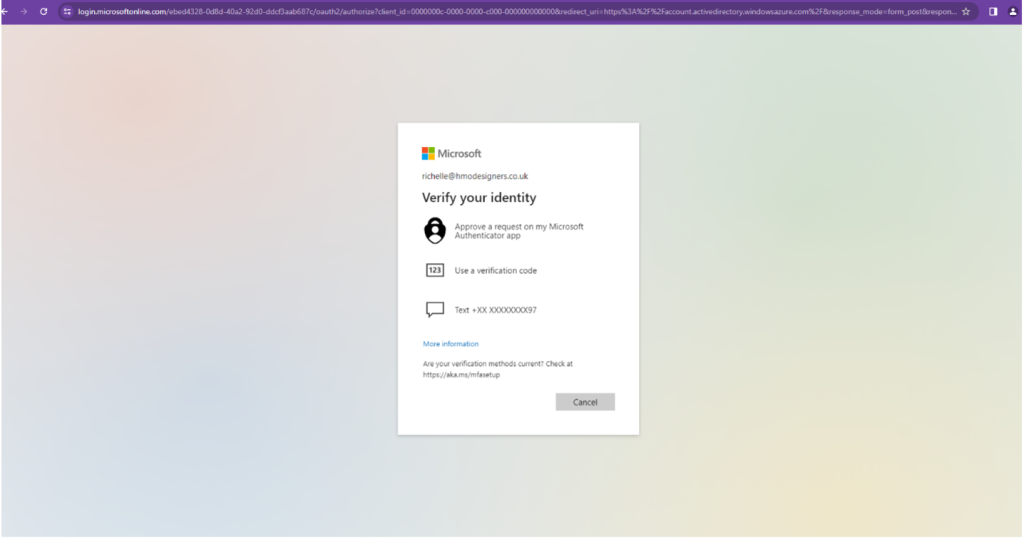
- Multi-factor authentication process (MFA). If your organization has enabled the MFA for added security, you will be prompted to verify your identity. You may verify your identity by using Microsoft Authenticator App, or via code or text message.
- Navigate through your Microsoft 365 account. After the authentication process, you will now gain access to the Microsoft 365 portal. Here, you can access or launch different Microsoft applications such as Outlook, Teams, Word, Excel, PowerPoint, and more, depending on your subscription and permission.
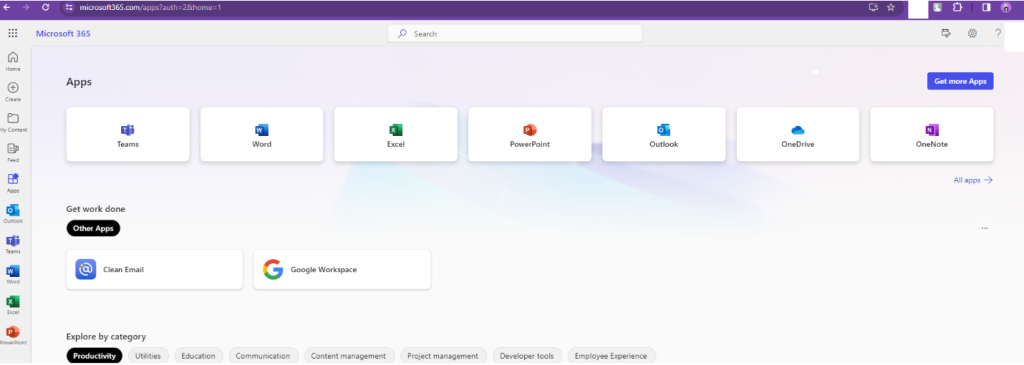
You can now access Microsoft’s suite of tools and services with ease. Remember to sign out of your account when you are done with your work especially if you are using a shared computer.